Step 1
Sign up and choose Plumbing
Pick Plumbing when you sign up. You start with a plumbing business's price list — callout & assessment, blocked drain, leak detection, burst pipe repair and more — which you edit to your own prices under Settings → Services.
Add each plumber under Settings → Technicians so every job can be assigned to whoever is doing it.
Step 2
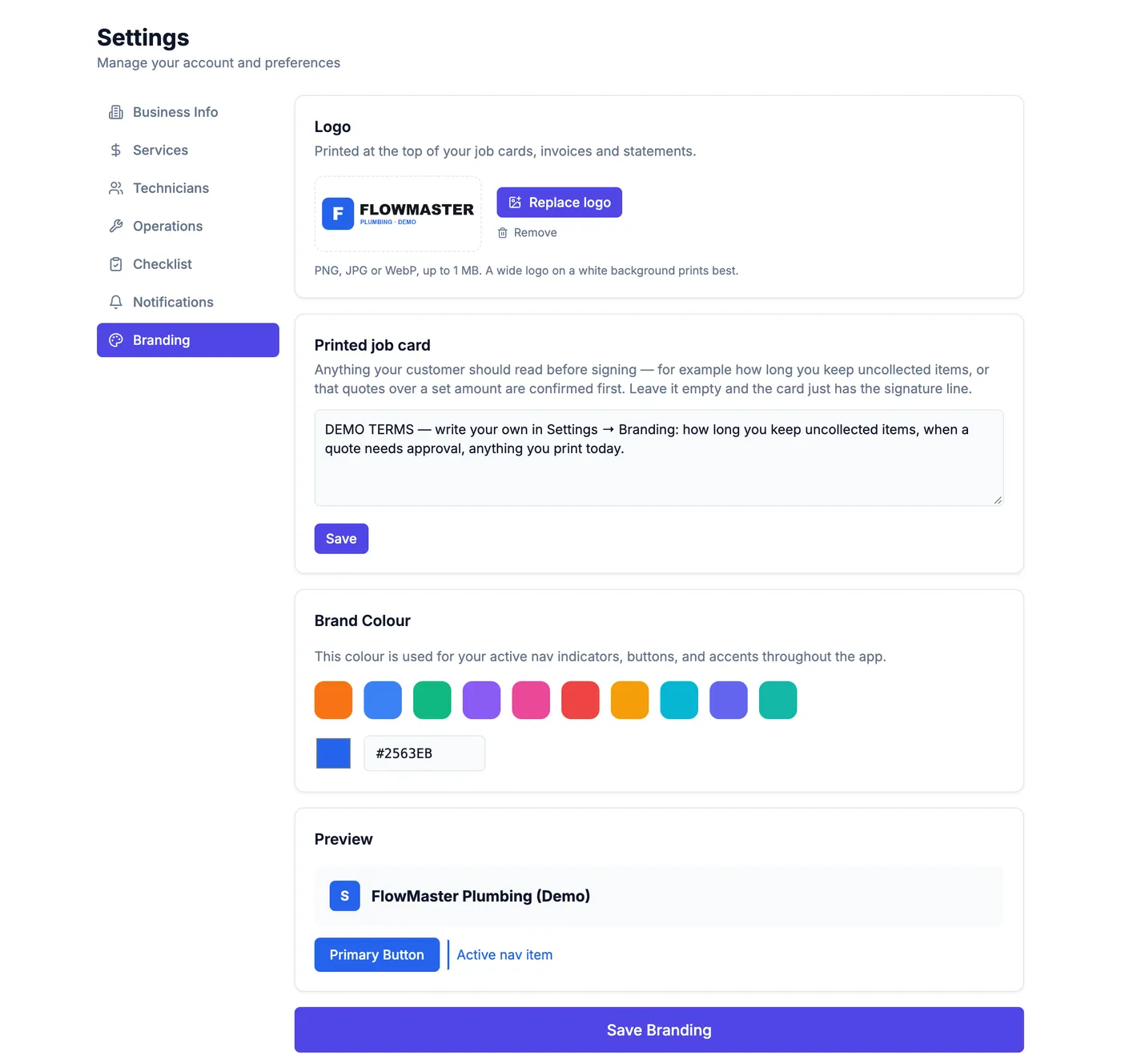
Put your logo on the job card
Under Settings → Branding, upload your logo and write the terms you want above the customer's signature. Your logo then appears on every printed job card, invoice and statement.
Step 3
Bring your customers across
Under Customers → Import, upload your customer list as a spreadsheet (CSV). Name first; phone, email and address are picked up if they are there. The address shows on every job and opens in Google Maps.
Step 4
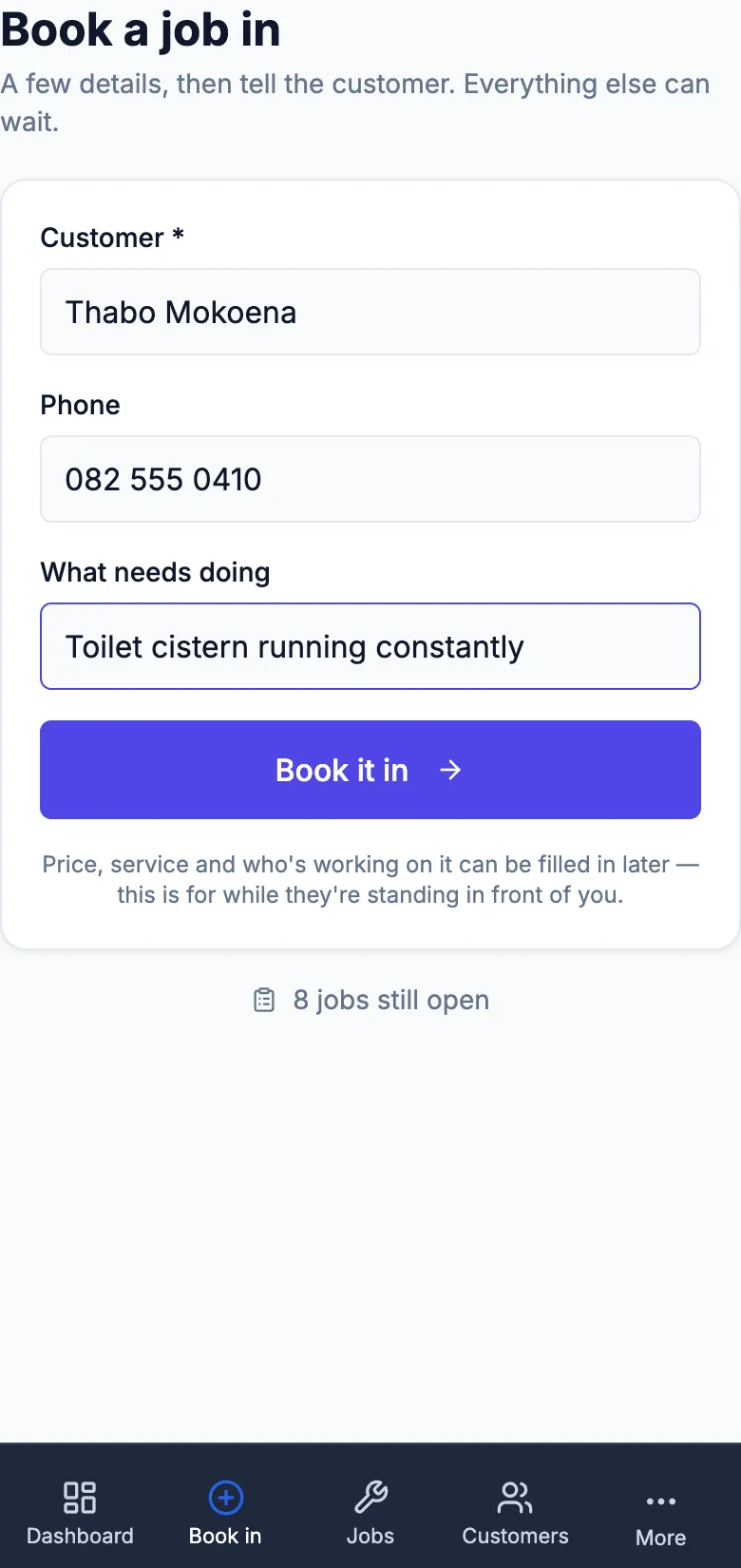
Book a job in
Book a job in asks for the customer, their number and what needs doing — a burst geyser or a blocked drain, for example. It takes under a minute, on the phone or at the desk.
Straight after, one tap opens WhatsApp from your own number with the confirmation already written.
Step 5
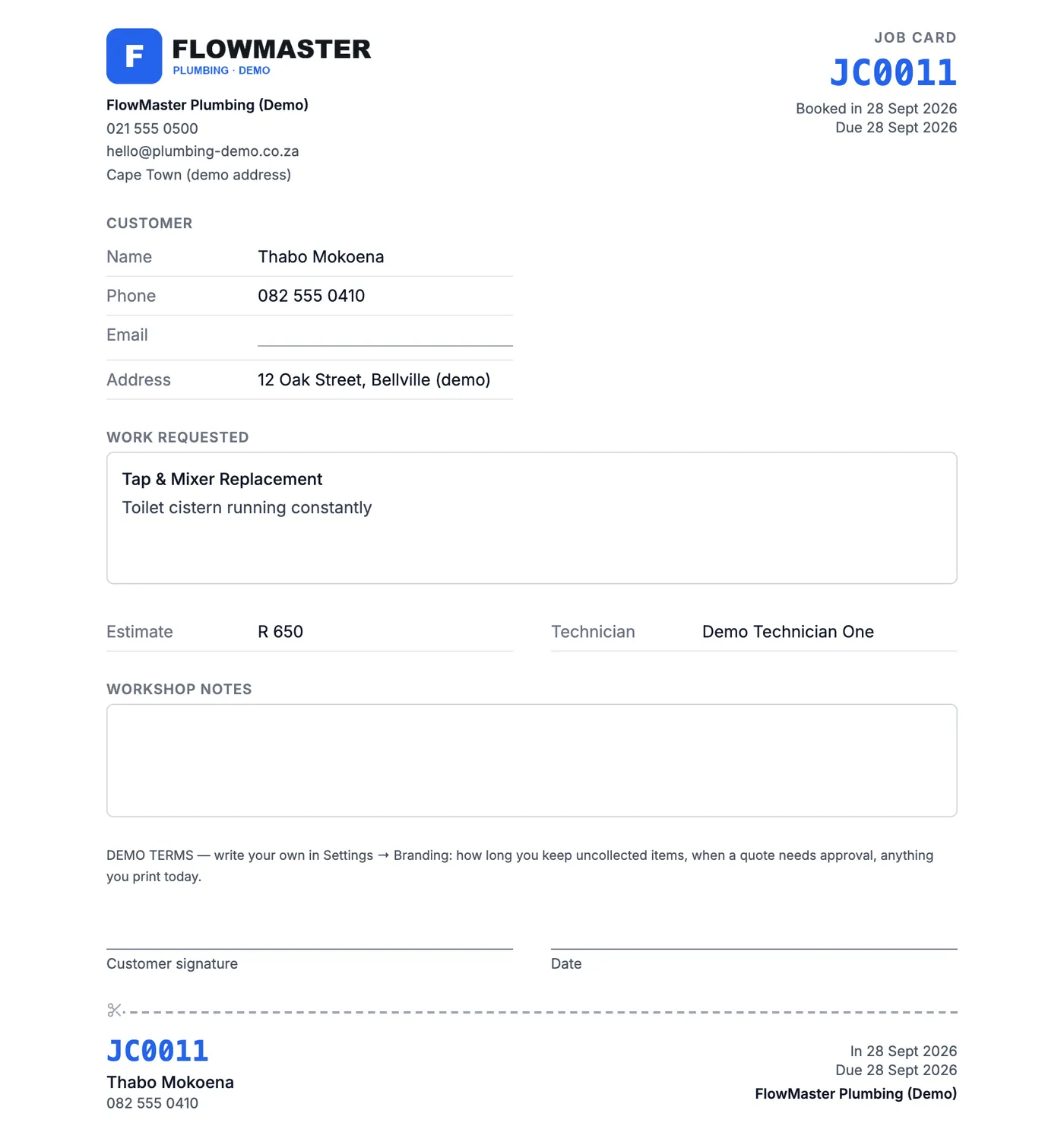
Print the job card
Print job card gives an A4 card with your logo, the customer, the work requested, the estimate and a signature line — with a tear-off tag carrying the job number.
Step 6
Move each job through, and tell the customer
Jobs move Booked → On Site → Work in Progress → Work Done → Signed Off, in the words your trade uses. The week view shows what is on each day; when a job is done you are offered a one-tap WhatsApp to the customer.

Step 7
Invoice from the job
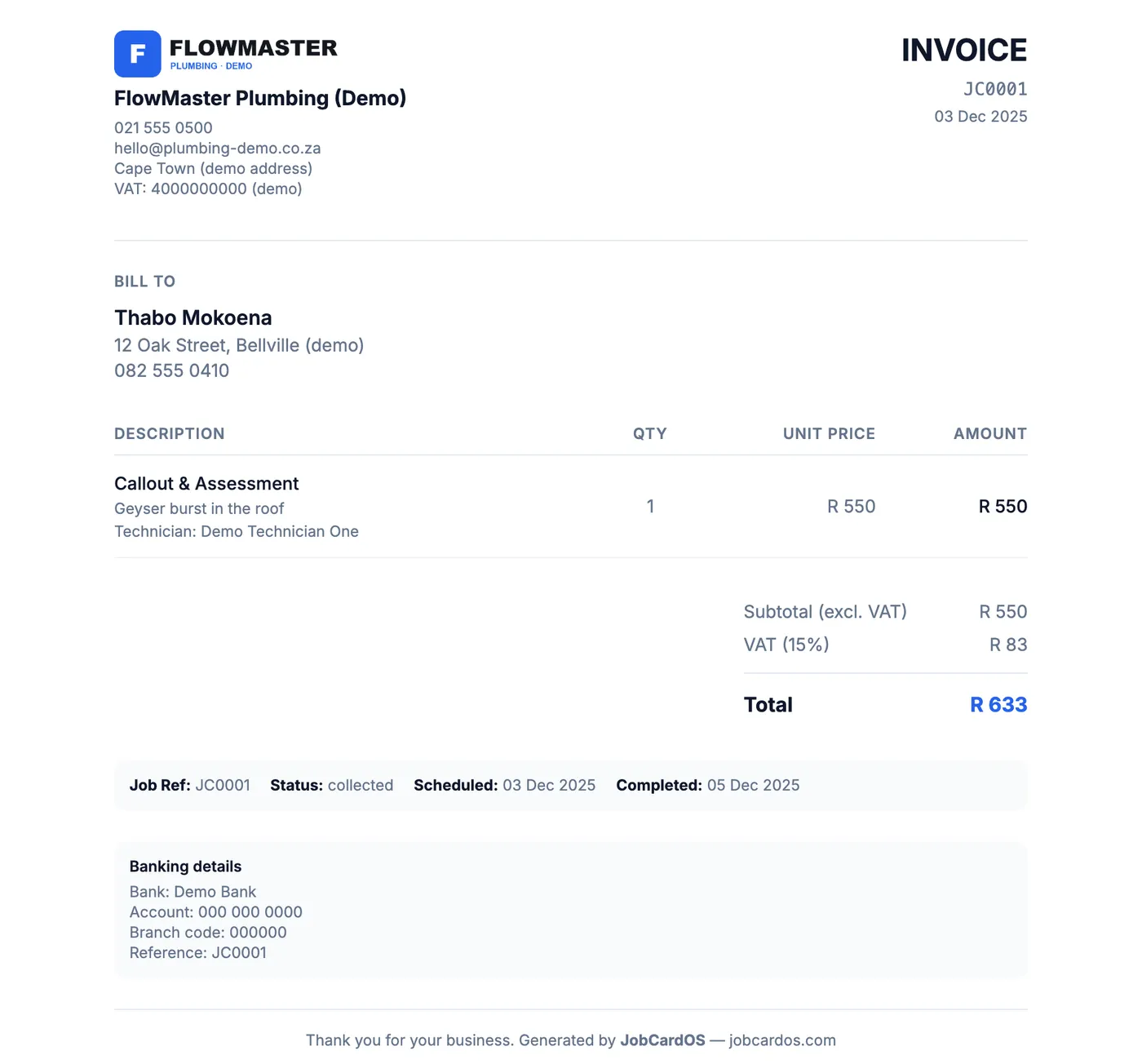
When the work is signed off, Invoice prints straight from the job with your logo and banking details — nothing retyped. Customers you bill monthly get one statement instead.