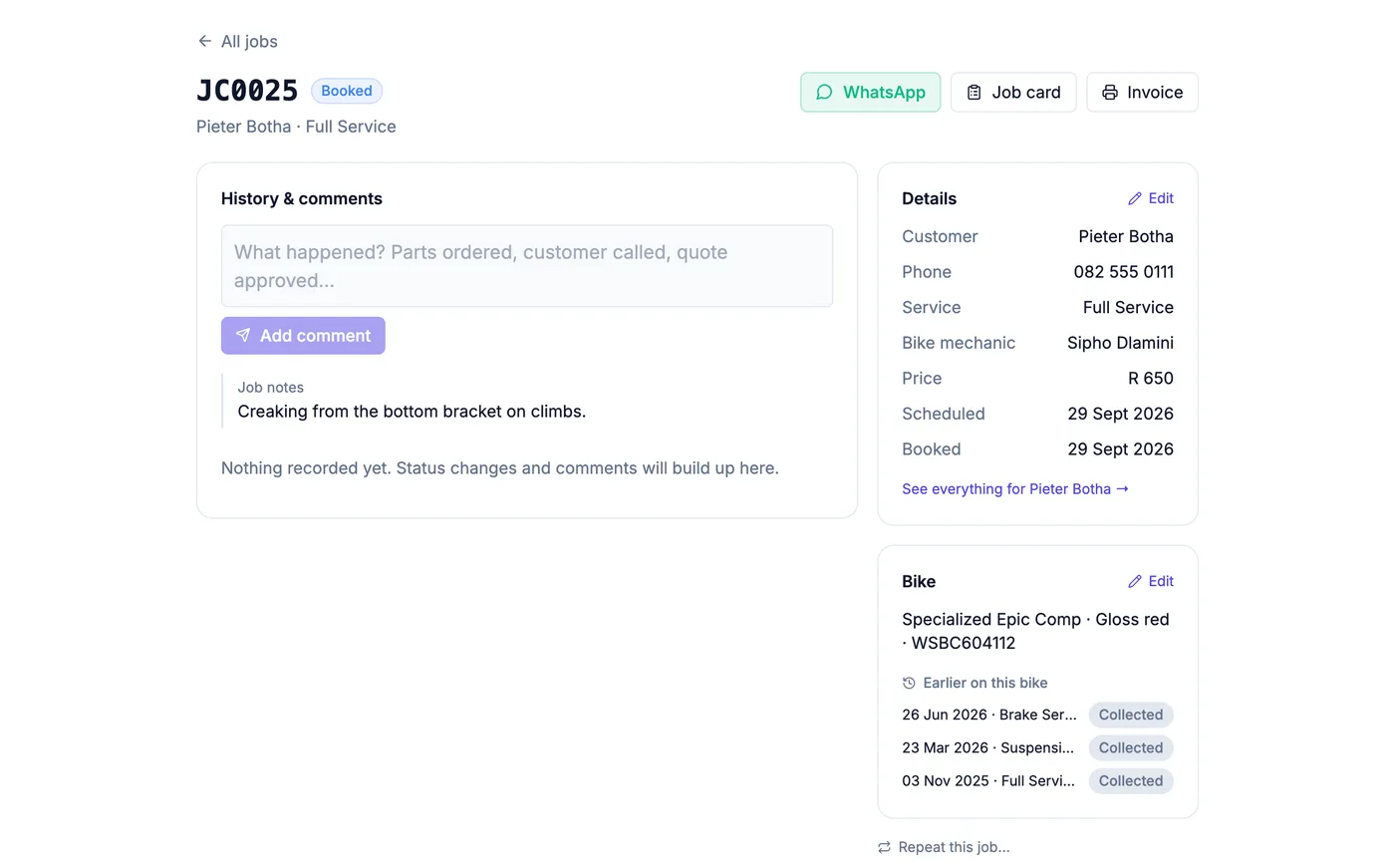
Step 1
Sign up and choose Bicycle Shop
Pick Bicycle Shop when you sign up. You start with a bike workshop price list — tune-ups, full services, brakes, drivetrain, suspension, wheel trues — which you edit to your own prices under Settings → Services.
Add your mechanics under Settings → Technicians so each bike can be assigned to whoever is working on it.
Step 2
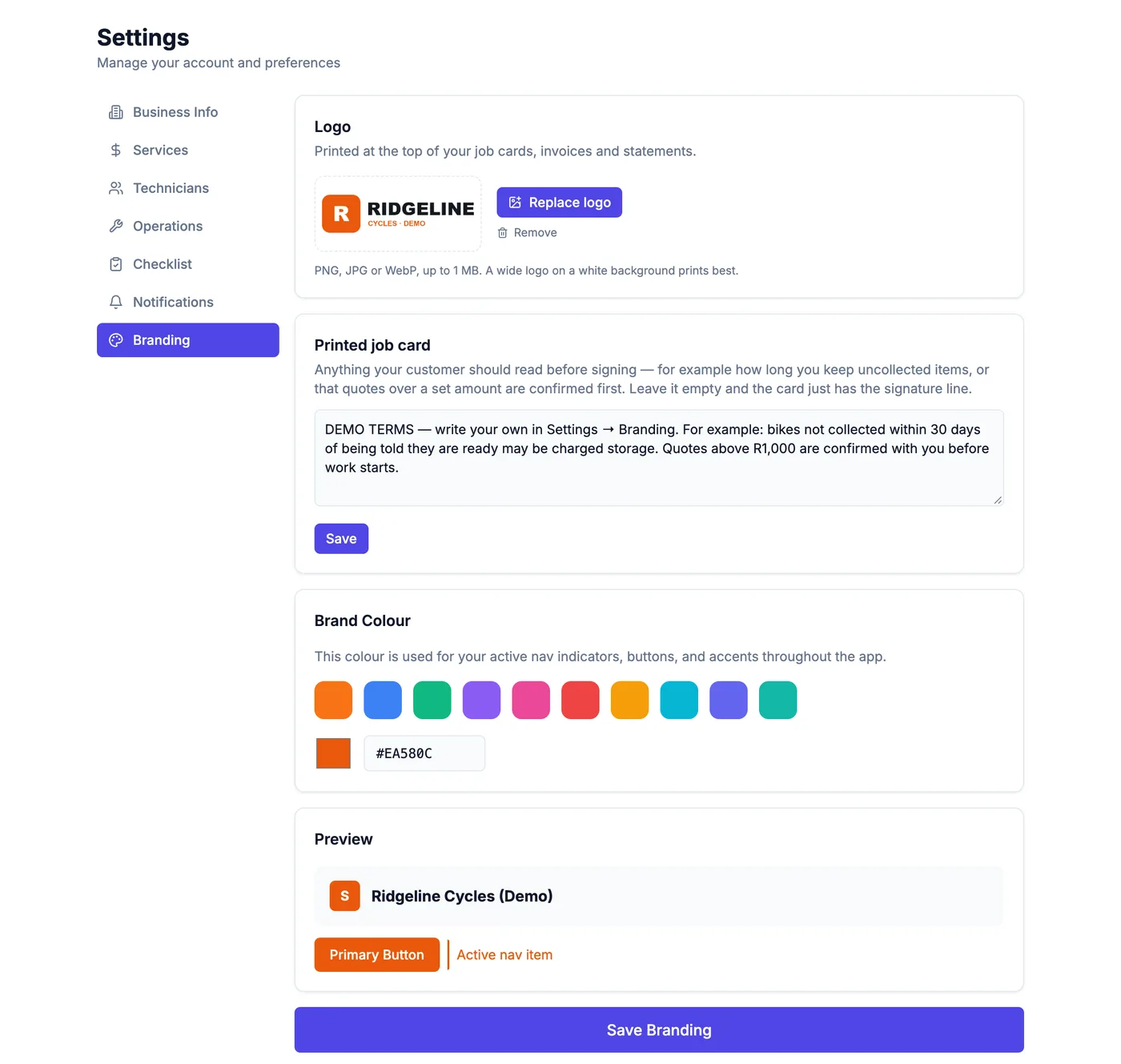
Put your logo on the job card
Under Settings → Branding, upload your logo and write the terms you want printed above the customer's signature — how long you keep uncollected bikes, when a quote needs approval, whatever you print today.
Your logo then appears on every printed job card, invoice and statement.
Step 3
Bring your customers across
Under Customers → Import, upload your client list as a spreadsheet (CSV). Name first; phone, email and address are picked up if they are there. You see how many will be added before anything is saved.
Step 4
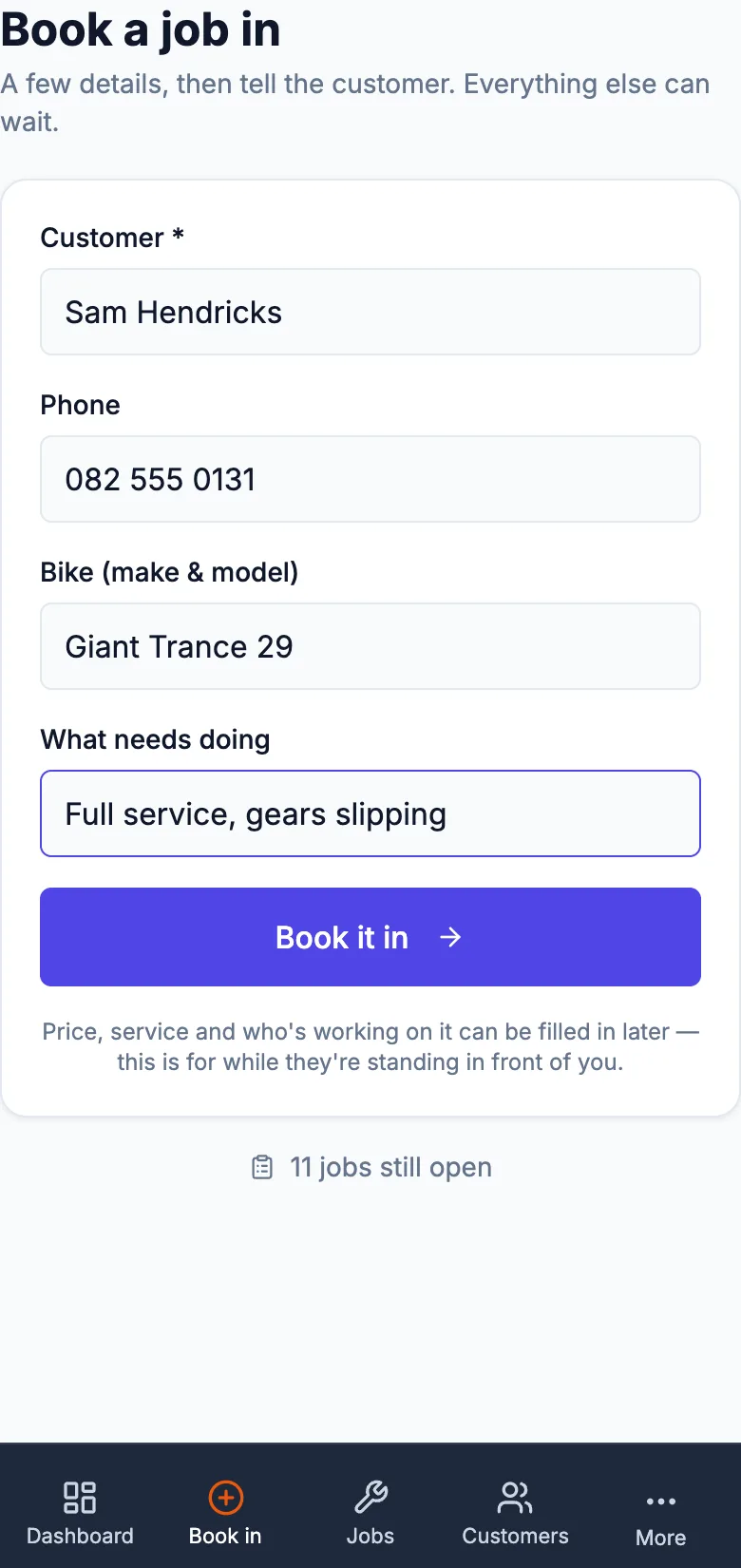
Book a bike in at the counter
Book a job in asks for four things: the customer, their number, the bike and what it needs. It takes under a minute while they are standing there.
A returning customer is found by name, and the same bike is matched to its record, so its history carries on.
Straight after, one tap opens WhatsApp from your own number with the confirmation already written.
Step 5
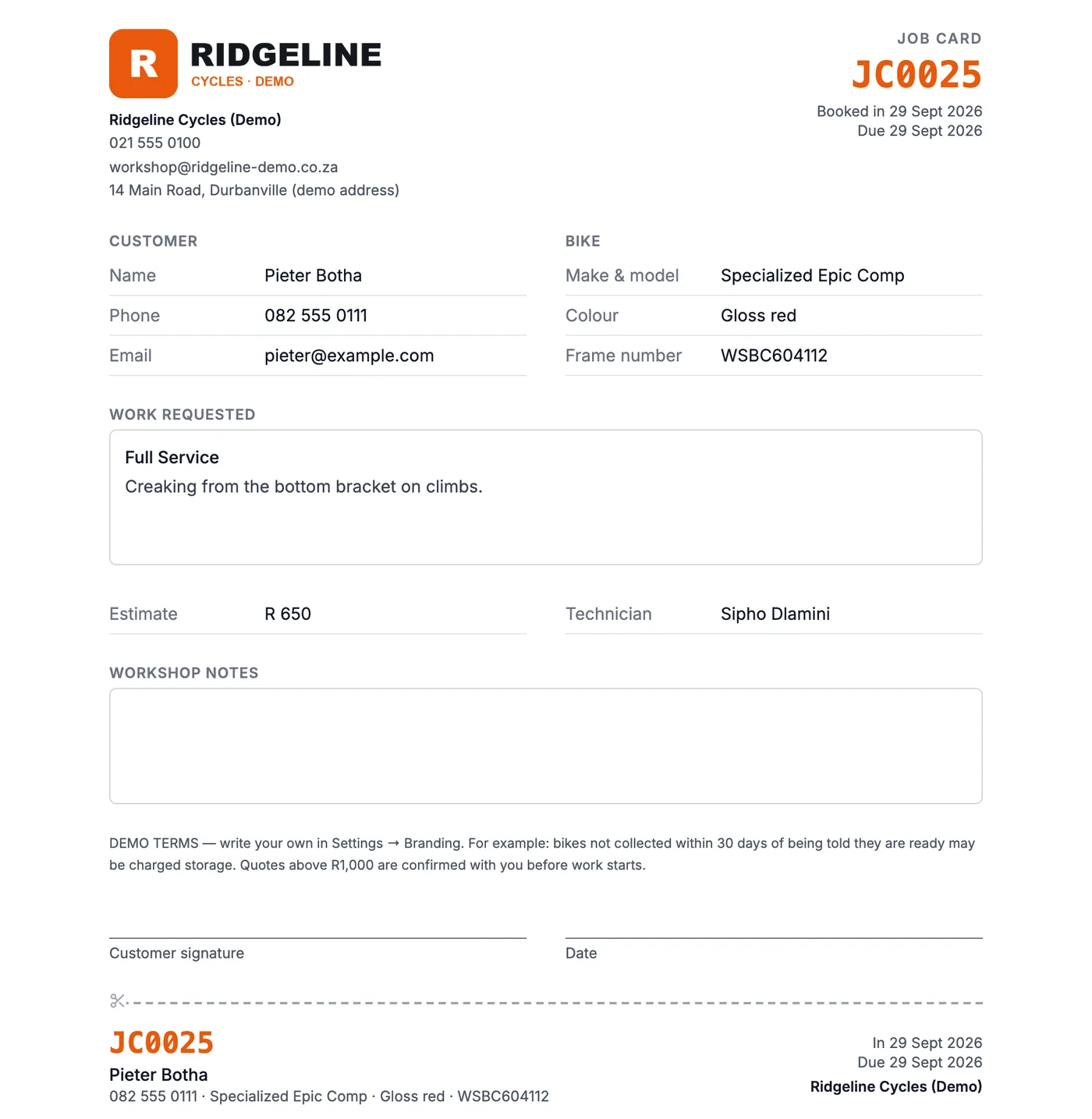
Print the job card
Print job card gives an A4 card with your logo, the customer, the bike (make, model, colour, frame number), the work requested, the estimate and a signature line.
The strip at the bottom has the job number, name and bike: cut it off and tie it to the bike.
Step 6
Work through it, and tell the owner
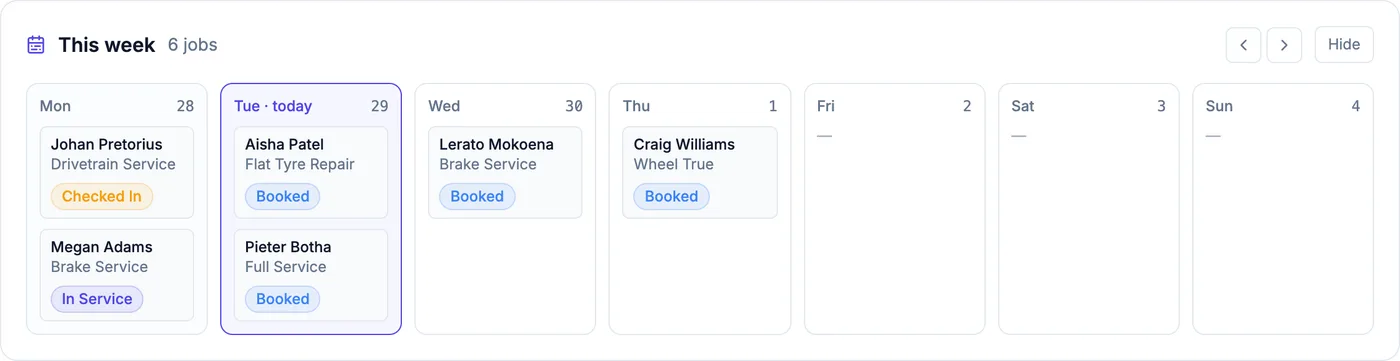
Move each bike along — checked in, in service, waiting on parts, ready — from the job list or the week view. When it is ready you are offered a one-tap WhatsApp to the owner.
Step 7
The service history builds itself
Every job is kept against the bike. Open any job and you see everything done to that bike before; open a customer and you see each of their bikes, how many jobs each has had and when it was last in.