Step 1
Sign up and choose Engineering Workshop
Pick Engineering Workshop when you sign up. You start with hourly machining and fabrication rates plus shaft repairs, pump overhauls and gearbox strips, to edit to your own under Settings → Services.
Add your machinists and fitters under Settings → Technicians.
Step 2
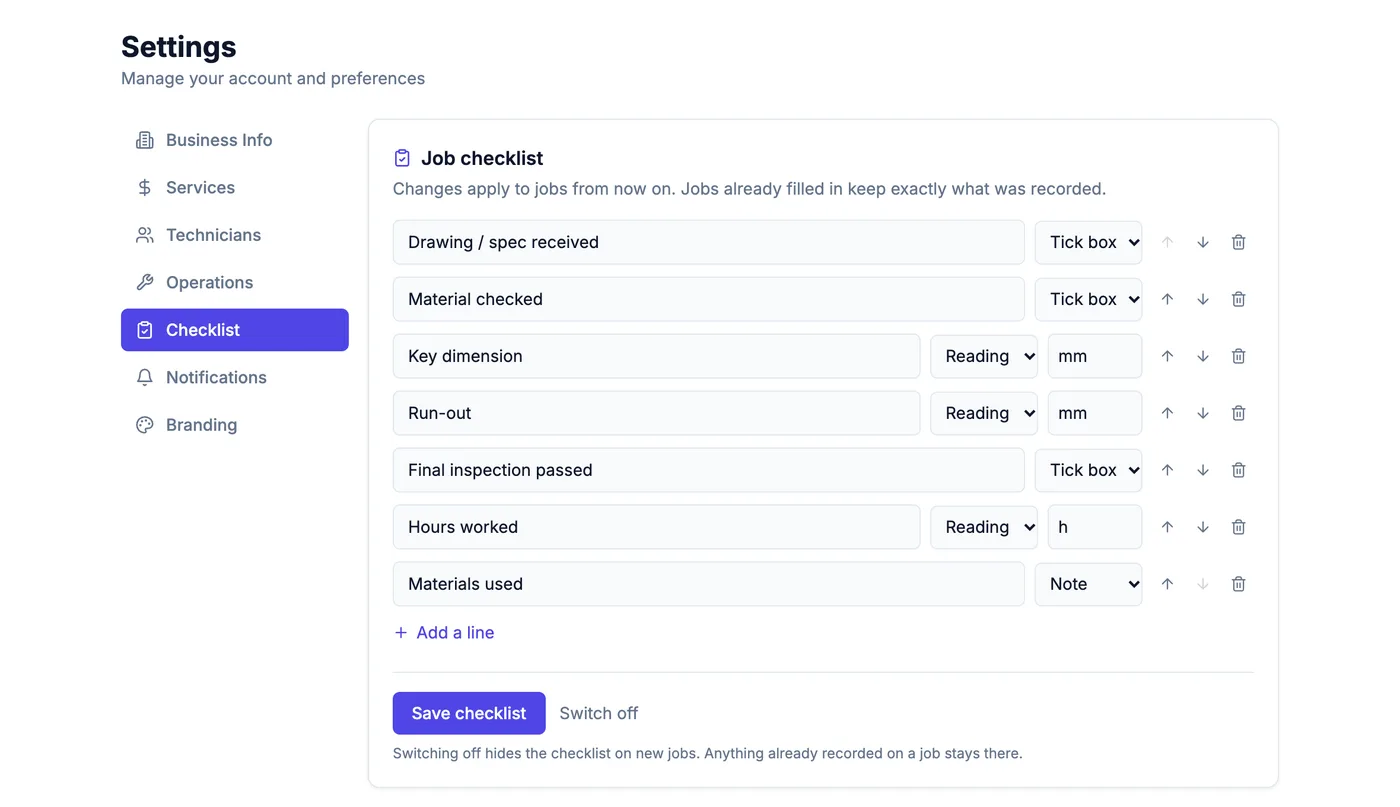
Switch on the job checklist
Under Settings → Checklist, switch on the engineering list: drawing received, material checked, key dimension, run-out, final inspection, hours and materials. Add the measurements your work actually needs.
Step 3
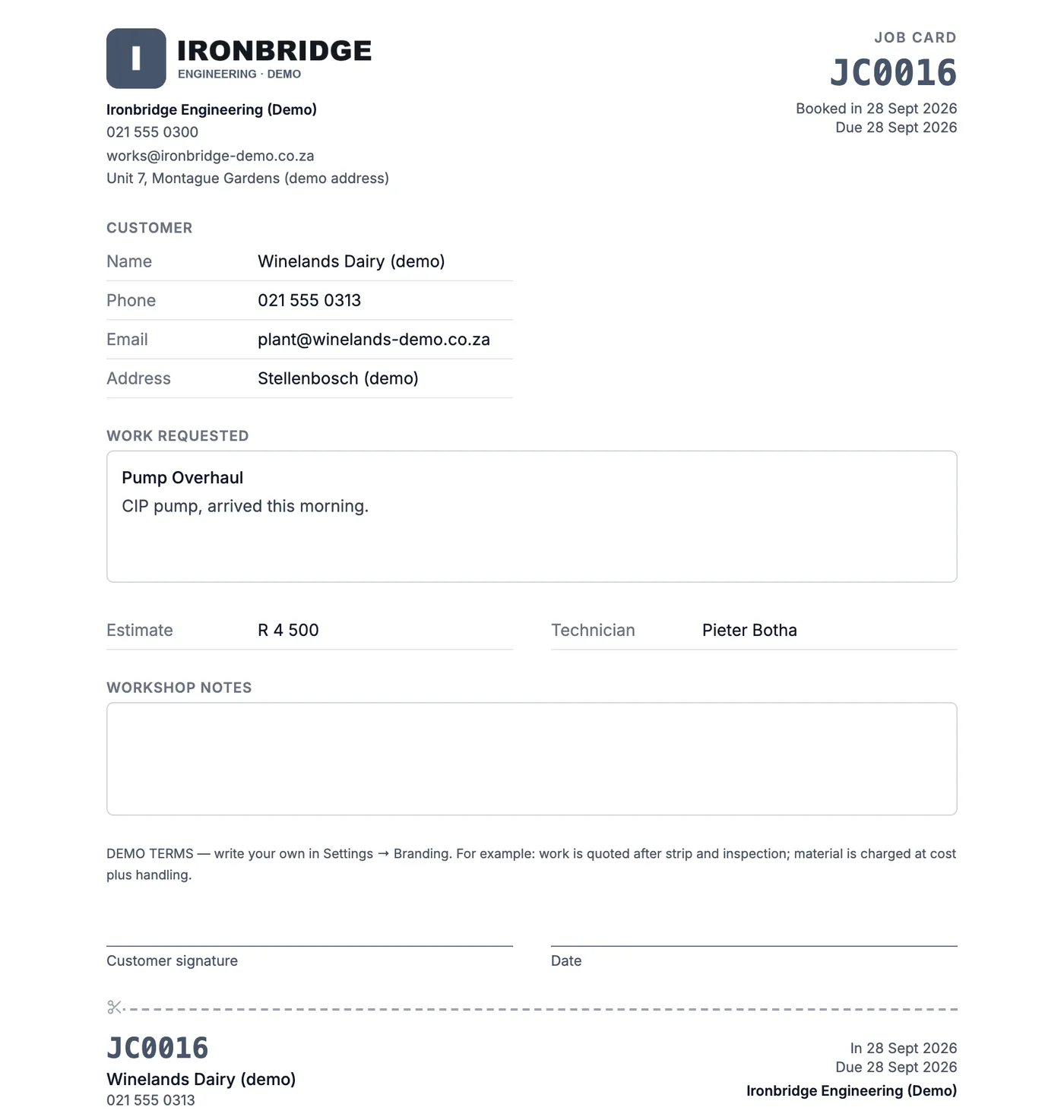
Book work in and print the job card
Book a job in, then print the job card with your logo, the client, the work requested and a signature line — the card that travels with the part through the shop.
Step 4
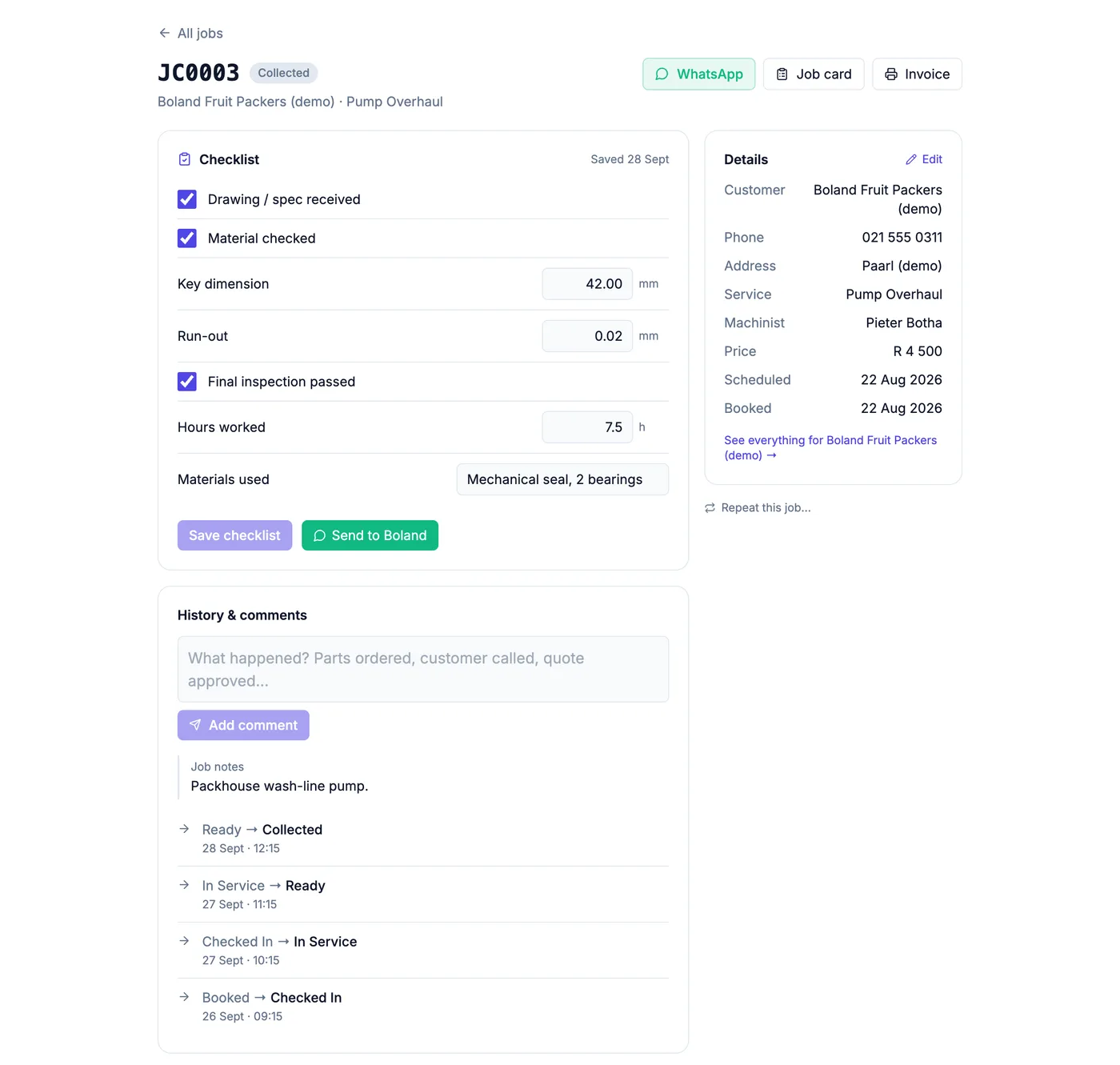
Record measurements and hours on the job
As the work is done, fill in the checklist on the job: dimensions, run-out, hours worked, materials used. It is kept on the job, in its history, and printed on the invoice.
Step 5
Set up maintenance contracts to repeat
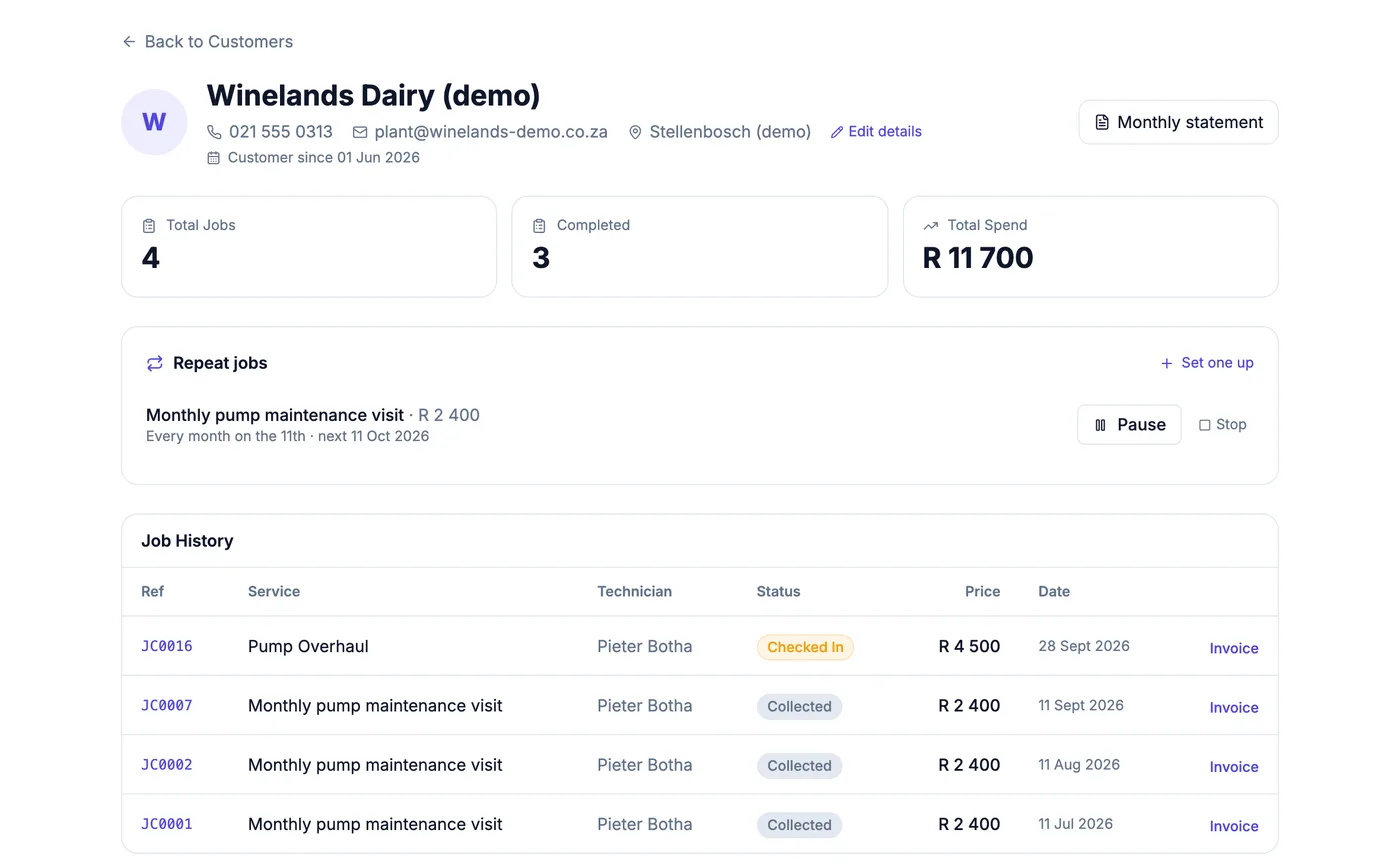
For contract work — a monthly pump visit, a quarterly service — set up a repeat on the client's page and each visit is booked onto your week by itself.
Step 6
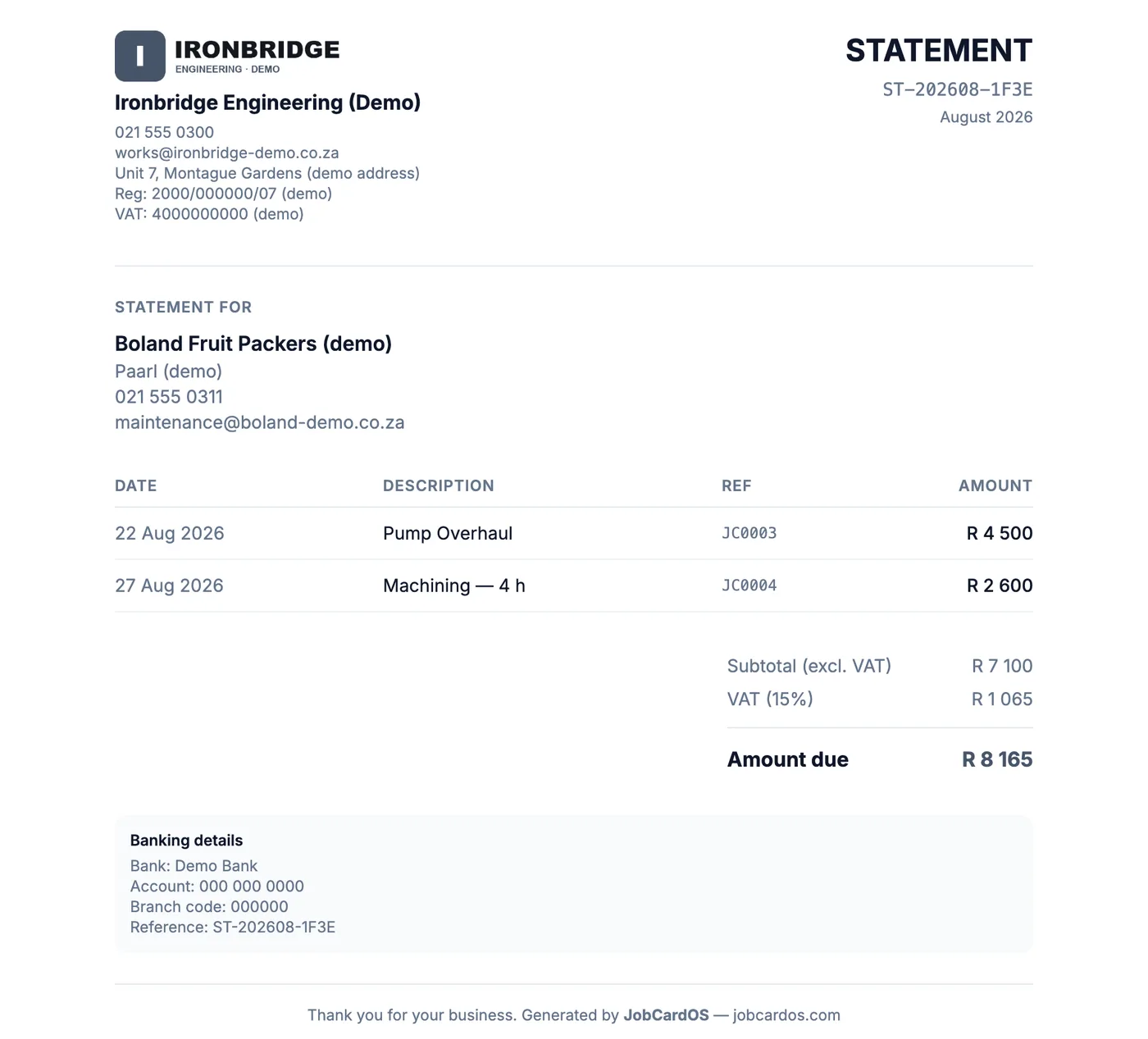
One statement per account customer
Account customers get one Monthly statement listing every finished job, with VAT and your banking details, instead of a pile of separate invoices.